
Deleting Your Profile
Plug P2P app Users can quickly and easily delete their profile in the app.
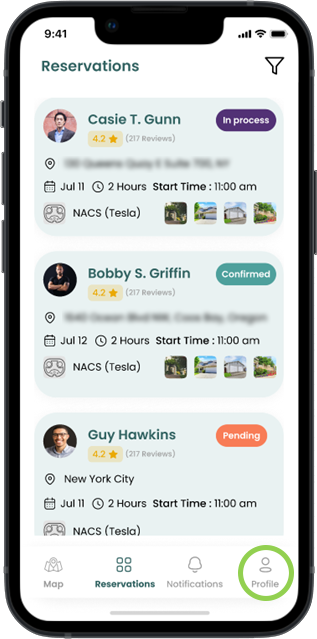
Step 1
Select “Profile” from any screen

Step 2
Scroll down and select “Settings” while in Profile view
Step 3
Select “Delete Account” in “Settings”

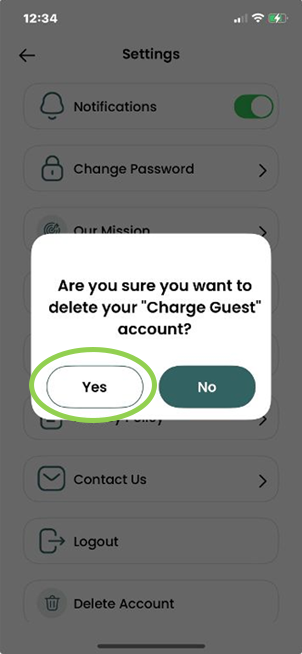
Step 4
Select “Yes” to Delete; your account will be deleted in alignment with our Terms & Conditions and Privacy Policy